Features
Everything it does, in plain terms
No jargon, no asterisks. Here's exactly how Back That Data Up keeps your Mac safe, and gets out of your way.

Time machine, reinvented
Point-in-time snapshots
Every run captures a complete, browsable snapshot of your Mac. Unchanged files are linked instead of re-copied, so snapshots are fast and tiny, but each one still opens like a full backup. Hop back to any day and grab what you need.
Your safety net's safety net
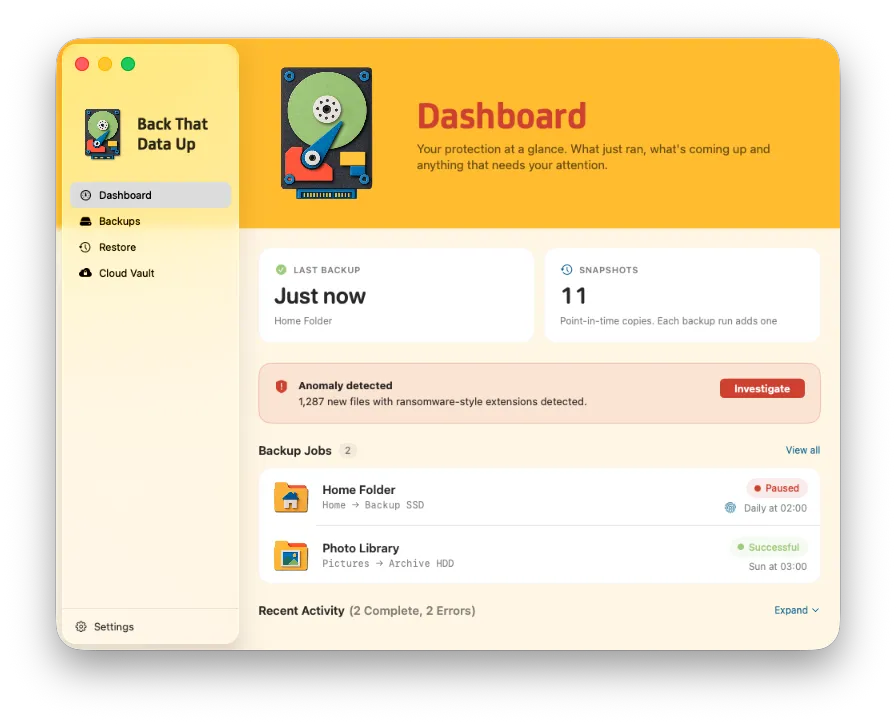
Anomaly detection
BTDU profiles each backup as it runs. A sudden wave of encryption, or a flood of files with ransomware-style extensions, pauses the backup and alerts you, so a compromised Mac can never overwrite the clean snapshots you'd restore from. You decide when to resume.

Keys stay with you
Encryption your way
Encrypt your backup drive with APFS, unlocked by Touch ID or a hardware security key. No passwords to leak, no keys we hold, your backup is gibberish to anyone but you.
Find it, fix it, move on
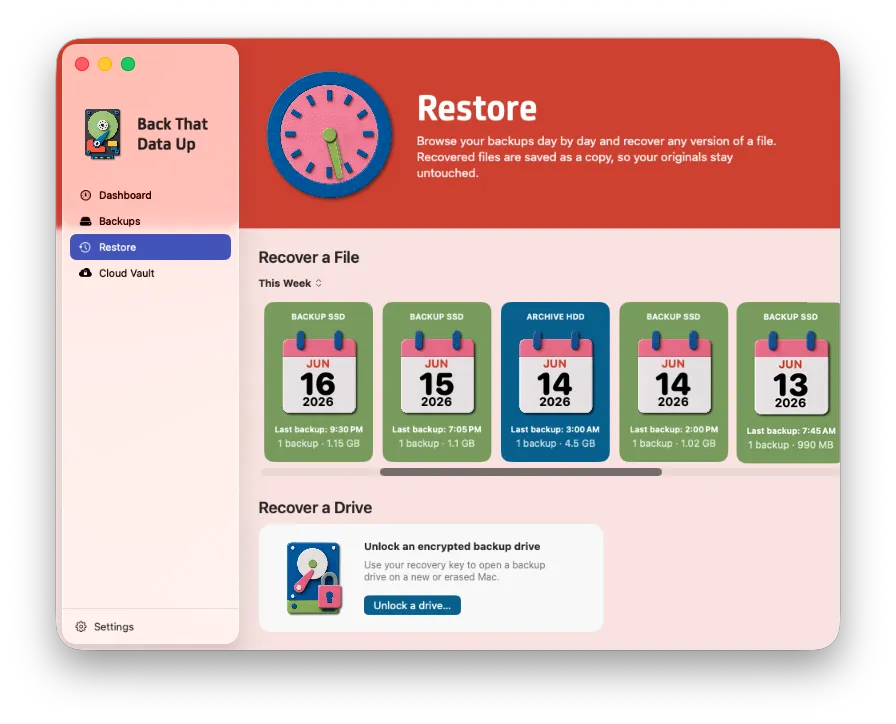
Restore & version history
Browse any day's backup in a familiar Finder-style view, or search across every backup at once. Open a file's full version history and restore the exact version you need, never overwriting the original.

Included with every copy
Cloud Vault
Back up your most important files to the cloud you already use, or a folder on your own network, encrypted into a private format only you can open. Add whole folders and new files protect themselves.
Explore Cloud Vault →
Set it and forget it
Backs up on its own
Run hourly, nightly, or on your own clock, with a different schedule for every backup job. BTDU is power-aware, lives in the menu bar, and quietly protects you in the background. You'll forget it's there, until the day you really need it.
Backups your way
Whole drive, one folder, or both
Set up as many backups as you like and aim each one where it matters, your entire Mac to a roomy external, a single project folder to a fast SSD. Mix and match as many jobs as you need, each doing one thing well.

Tune it to your taste
Back up what matters, not the clutter
Your Mac is full of things you'd never want in a backup, caches, build folders, that bottomless Downloads pile. Carve all of it out so every run stays lean and every restore is just your real files.
- Exclude by file, folder, or whole file type
- Smart defaults skip caches, build folders, and system junk
- Set size limits so giant scratch files never sneak in
- Give every backup job its own exclusion rules
- See exactly what's included before a run
And a whole lot more
Incremental & fast
After the first backup, only what changed gets copied. Even million-file home folders fly by.
Verify after copy
Optionally check every file byte-for-byte after writing, so you know your backup is exactly what you backed up.
Flexible retention
Keep as much history as you want, by count or by age. BTDU prunes old snapshots automatically.
Power-aware
Pauses on battery and stays light on resources, so backups never get in your way.
Lives in your menu bar
A quiet menu-bar icon shows what's running and how far along, so you always know you're protected.
Always up to date
BTDU updates itself quietly in the background, so you're always on the latest version, no App Store required.
Stop hoping your files are safe.
Know they are. From $29.99, one time. No subscription.
Download for Mac